

Key Info & Next Steps
We are releasing a software update here’s what you need to know..
Release Information
Point of Sale
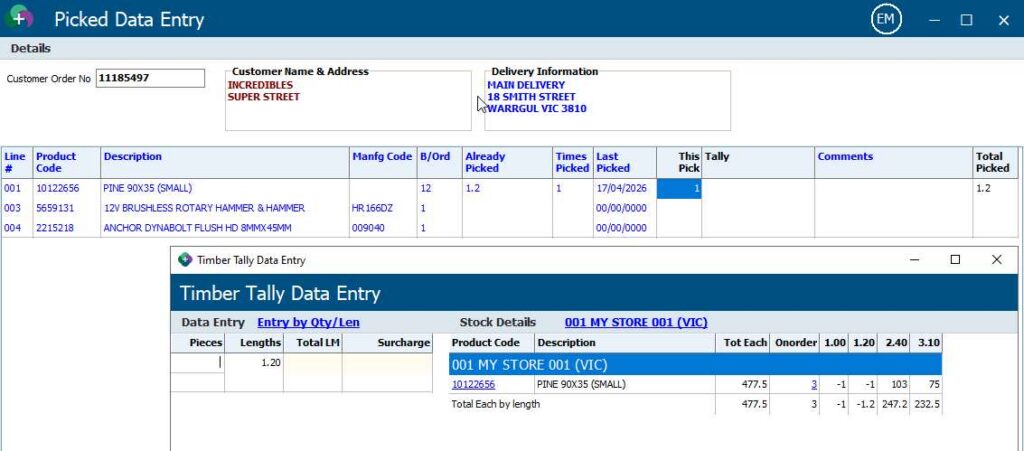
- Picked data entry now supports timber tally products.
- A new addition to the POS printing system to support current debtor balance has been added
- Point of Sale transactions priced by contract prices will no longer prompt for Alternate UOS selection
- Point of Sale Alternate Product Option will no longer cause pricing issues
- Linking a product to another product with ~POS in the description will now prompt the user to enter the description
- Altering quotes with delivery products now allows you to bypass the delivery detail entry, this is now only enforced when converting a quote to a customer order.
- Altering a customer order no longer allows you to select a quick tender type.
- Quotations will now follow the same logic for reprice as customer orders when the flag for ask reprice customer order is enabled.
Customers
- Customer SQL searching now continues to produce information if the initial result exceeds the number of results limit.
- Debtors Alter sub account selection drop down box now auto sizes the width to accommodate longer names
- The Customer Order Dashboard now has the Customers Order number as a column.
Products
- Stock Adjustments on Tally products will now display the correct after details for costs.
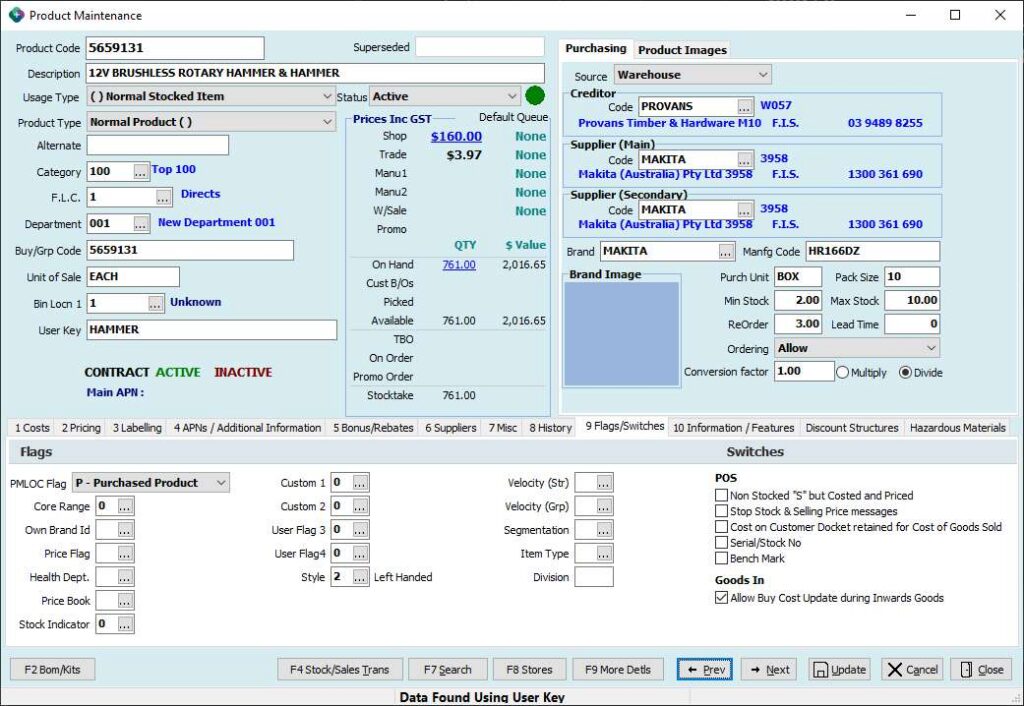
- The Product Maintenance Flags/Switches tab has been reworked to provide a cleaner and easier to identify interface.
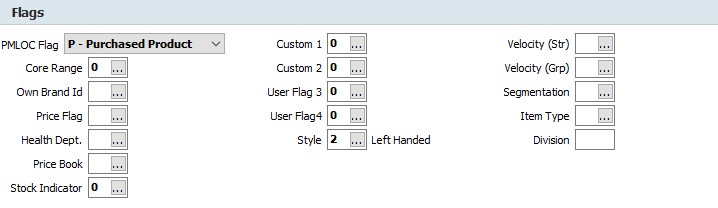
- The flags will now show the description of the flag on the right hand side of the field
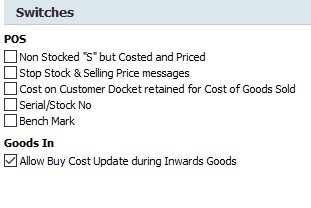
The switches have been grouped by their relevance to the area it effects
- EPGV4 will now insert qty break sell prices as a discount of retail price (the same as the Alt Selling UOM)
- The Product Dashboard will now return to the last used Tab. Unique to Terminal and Program.
Purchase Ordering / Inwards Goods
- Goods In – Freight Amortization will calculate the weightings correctly when using Entry by Extension option
- Goods Inwards Freight Amortization will now recalculate a selling price (Where auto price recalc is setup) based on the new Markup Cost, where freight has been added, and update/queue prices labels as required.
- A rounding issue in the Electronic invoice load printout has been corrected
- Goods Inwards will now obey the system configuration for Queueing Labels and Prices
- Receipted purchase orders with no back orders will now be closed without being prompted
Creditors
- Processing adjustment notes and searching for a product now only shows the line details for the given product
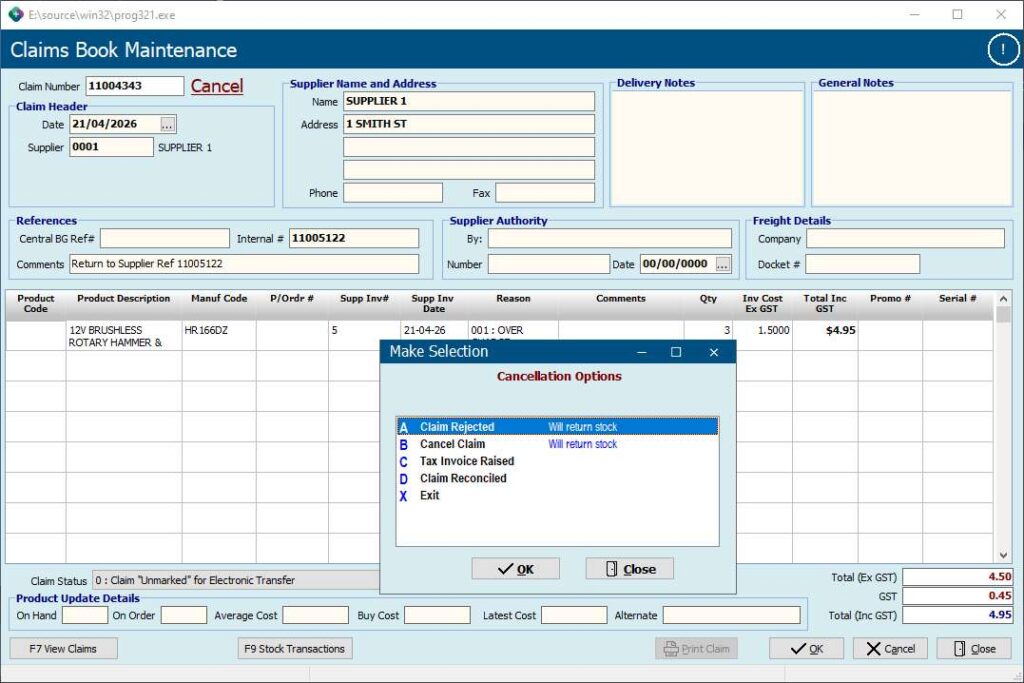
- Cancelling claims generated from a Return to Supplier process can now return the stock if you choose either Claim Rejected or Cancel Claim Choosing Tax Invoice Raised or Claim reconciled will not return the stock.
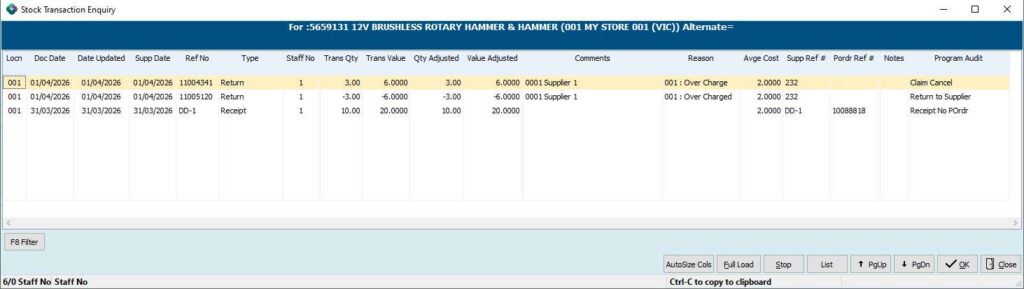
- This will return the products back into stock at the value that it was at during the Return to Supplier processing.
- Creditors Transaction Enquiry now supports printing of Recipient Generated Tax Invoices for bill to creditor accounts
General Ledger
- The Standing Journal view button now shows details correctly
- General Ledger transaction enquiry now sorts by date entered correctly
- Bank Payment Summary will now show the General Ledger Journal values for Bank Account and Trade Creditors in the correct columns (was swapped).
- General ledger EOD integration process has been updated to ensure it cannot be run multiple times
System
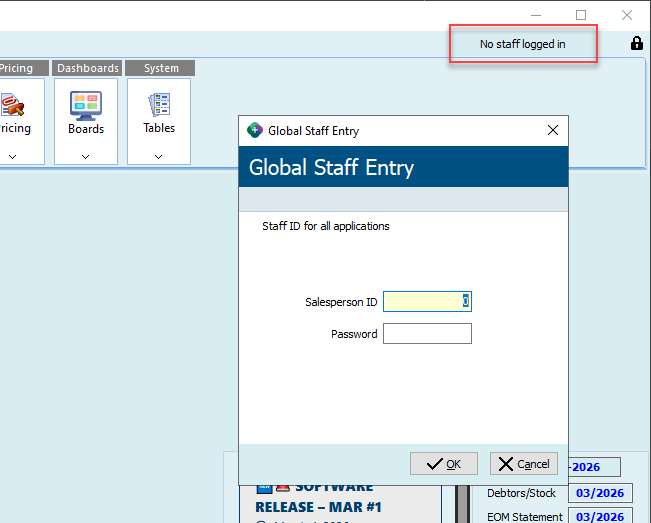
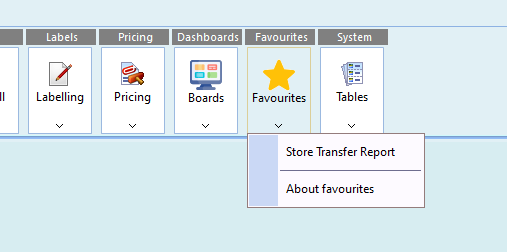
- The main menu now has a way of tagging items as a favourite, this makes finding commonly used menu items easier. – The favourites is a feature that is enabled once the staff member has logged into the main menu
To toggle a menu item as a favourite, hold down control while selecting the menu item itself (ctrl-clicking an existing favourite item will remove it from the favourite list)
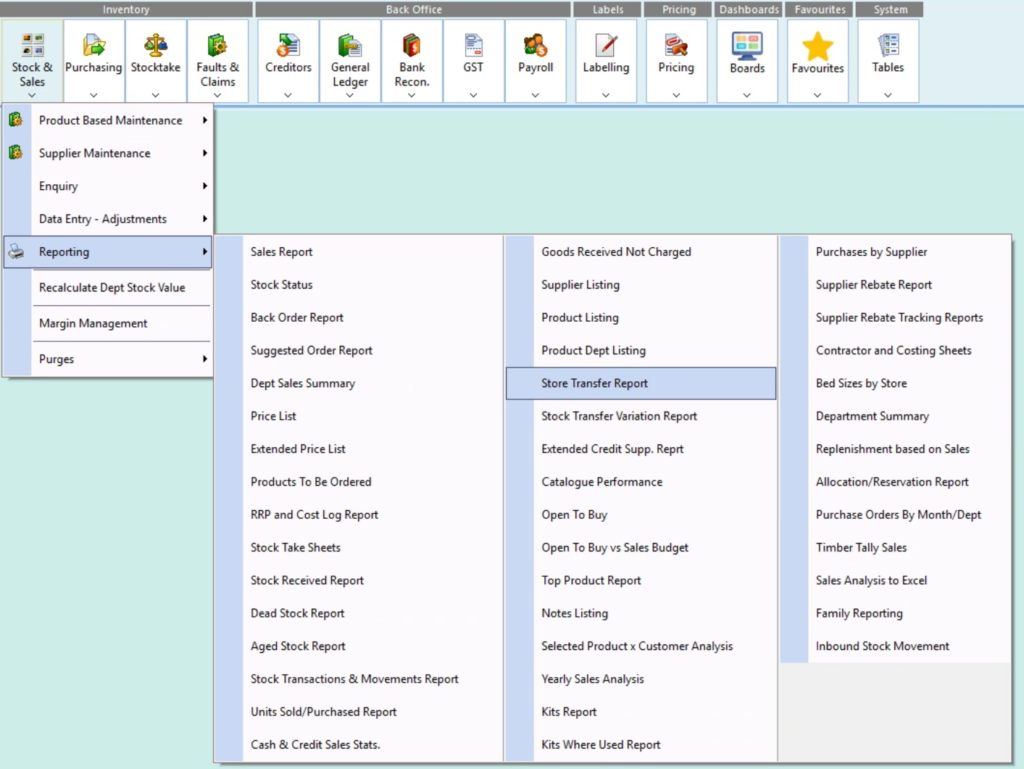
Once that is done, the menu item will be highlighted with a star
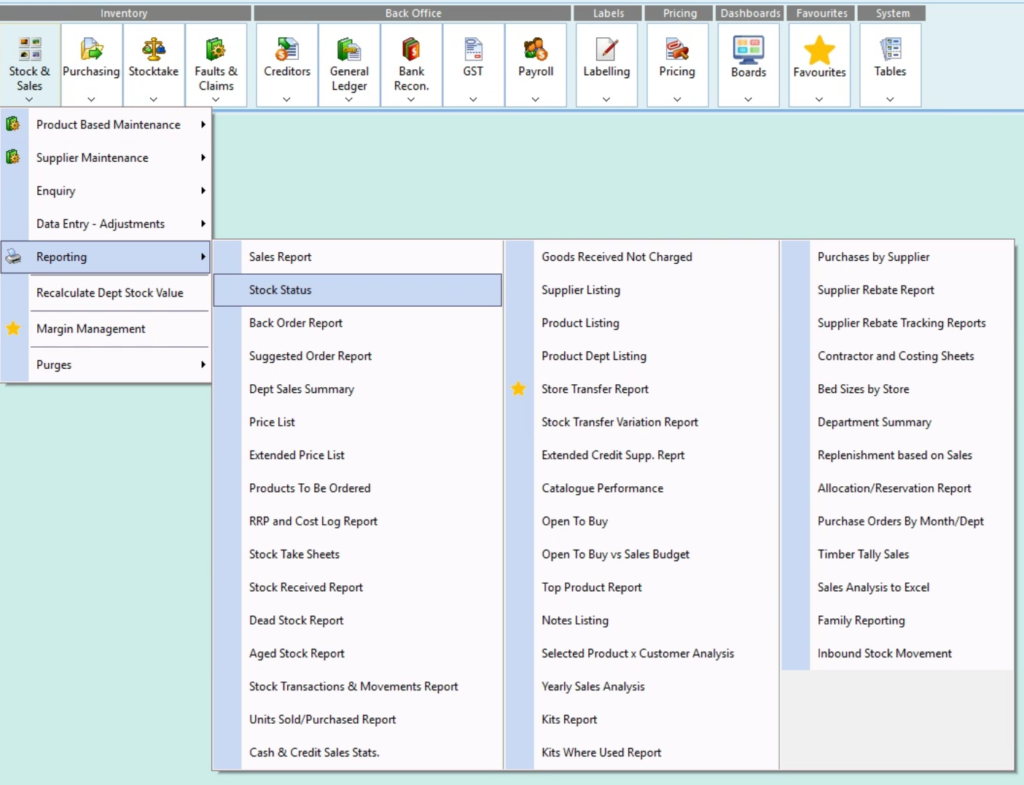
Any menu item that has been tagged as a Favourite will also be available in the new “Favourites” menu button at the top
- Internal sort file processes are now being updated to work in memory rather than on disk, this will provide quicker and more efficient processes. This update is part 3 of 3 of this update.
- Office365 email setup client secret field is no longer visible as plain text
- Table Magic now exports date fields consistently between the different excel layouts
What you need to do
Read the information below that supports this release.
Download the PDF version below for future reference if needed.
Once the update is downloaded and installed on your PC, you will need to restart your computer to ensure that all changes take effect.
We apologise for any inconvenience this may cause, however rest assured that the restart will only take a few minutes.
We’re here to help
If you need any assistance or have any questions please call the Sympac Help Desk on (03) 5649 6200.
Our Client Services Team are available from 7am to 8pm EST to assist you.